
How to Search Email Delivery Logs in cPanel Using Track Delivery
This article explains how to use the Track Delivery feature in cPanel to search email delivery logs, verify whether emails have been delivered successfully, and identify any failed email deliveries.
Applies To
cPanel Hosting
Email Hosting Services
Shared Hosting Accounts with cPanel Access
Symptoms
Unable to confirm whether an email was sent successfully.
Need to check the delivery status of a specific email.
Want to investigate bounced or failed emails.
Require email delivery logs for troubleshooting.
Resolution
Step 1: Log in to your cPanel account using the credentials provided by your hosting provider.
Step 2: Use the search bar within cPanel and search for Track Delivery.
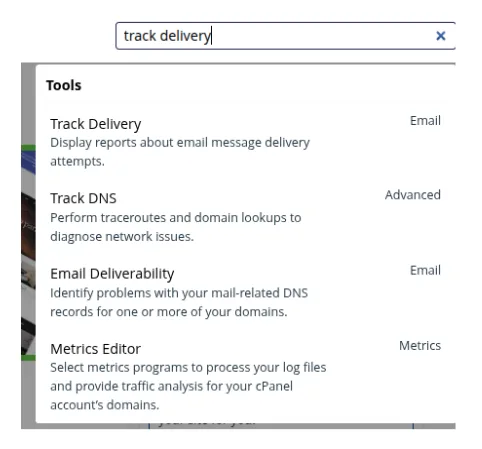
Step 3 : Click on Track Delivery from the search results. A new page will open displaying email delivery tracking options.
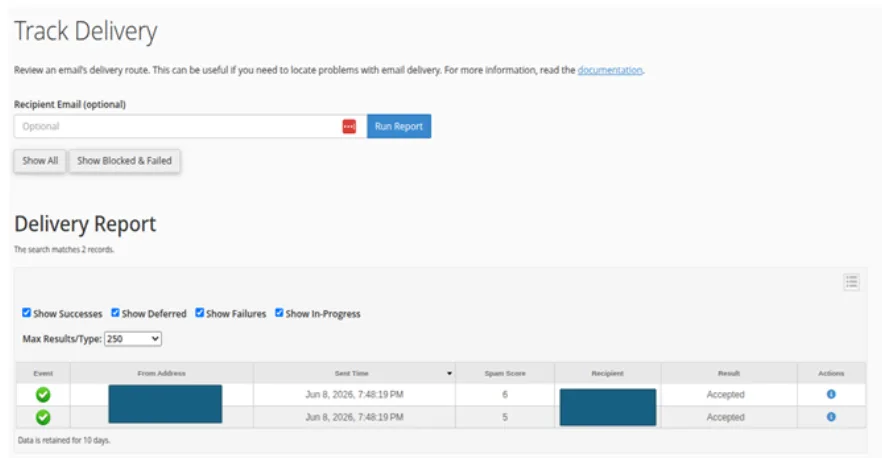
Step 4: Enter the recipient's email address in the search box to locate delivery logs for a specific email account.
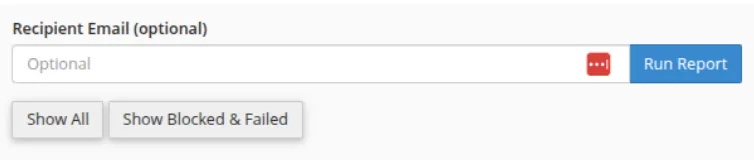
Step 5: Click Show All to display all available delivery records.

Step 6: The Track Delivery results will display a list of email transactions and indicate whether each email was: Successfully Delivered, Deferred, Failed, or Rejected

Step 7:
You may use the available filters to narrow down the results, such as: Show Deferrals Show Failures Show Successful Deliveries

Verification
Search for the recipient's email address in Track Delivery.
Verify that the email status shows Delivered.
Review the delivery details to ensure there are no errors or deferrals.
Confirm that the recipient has received the email.
Troubleshooting
If the email is not delivered:
Verify that the recipient email address is correct.
Check the delivery logs for any error messages.
Review any failed or deferred delivery notices.
Ensure the recipient's mailbox is active and has sufficient storage space.
Check whether the recipient's mail server has blocked or rejected the message.
- cPanel
- Email Logs
- Email Delivery Status
- track delivery
- Email Tracking
- Mail Delivery Reports