How to remove WordPress from Plesk?
Learn how to remove an existing WordPress installation from your domain through the Plesk control panel.
By Shivam VishwakarmaUpdated Oct 7, 2026
Log in to the Plesk panel.
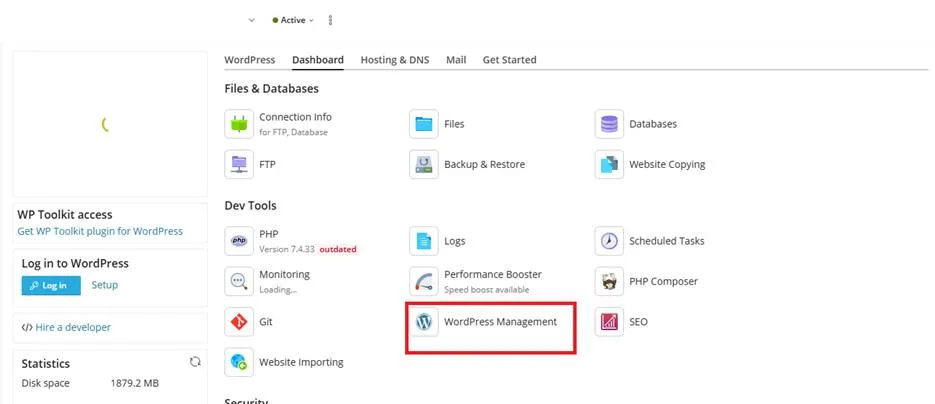
Select the domain, and under the Dev Tool section, click on “WordPress Management."
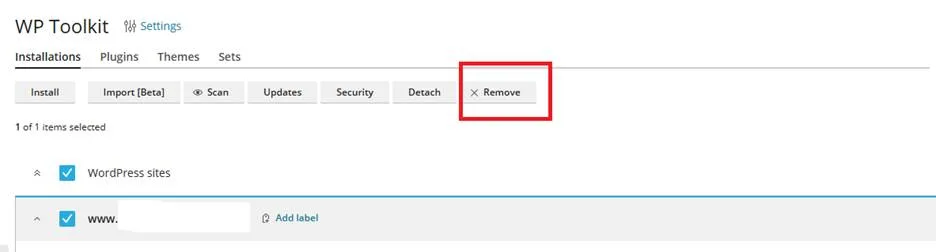
Select the account and click on Remove.