
How to Change ASP.NET Version in Plesk
This article provides a brief guide on how to change the ASP.NET version assigned to a website through the Plesk Control Panel.
Overview
This article provides instructions for changing the ASP.NET version assigned to a website through the Plesk Control Panel.
Prerequisites
Access to the Plesk Control Panel.
The required ASP.NET version must be available on the server.
Procedure
Follow the steps below to change the ASP.NET version:
Log in to the Plesk Control Panel.
From the left-hand navigation menu, select Websites & Domains.
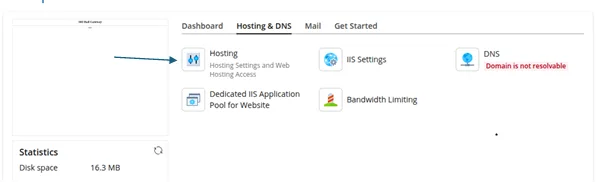
Locate the required domain and click Hosting Settings.
Under Microsoft ASP.NET Support, select the required ASP.NET version from the drop-down menu.
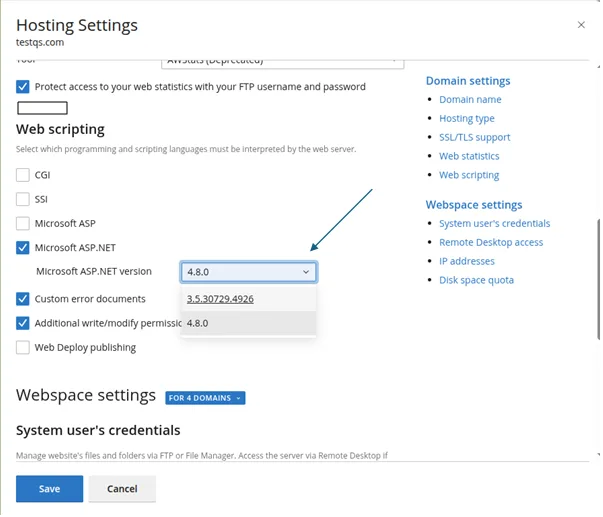
Click Apply to save the configuration.
Important Notes
Only ASP.NET versions installed and supported on the server will be available for selection.
Ensure that the selected ASP.NET version is compatible with the website application.
Changing the ASP.NET version may affect applications that depend on a specific framework version.