How to Add a Domain and Subdomain in Plesk
This KB explains how to add a domain and subdomain in Plesk and verify successful creation.
Summary
This KB explains how to add a domain and subdomain in Plesk and verify successful creation.
Applies To
Plesk Hosting Control Panel
Symptoms
Need to host a new website or create a subdomain under an existing domain.
Resolution
1. Add a Domain
Step 1: Log in to Plesk.

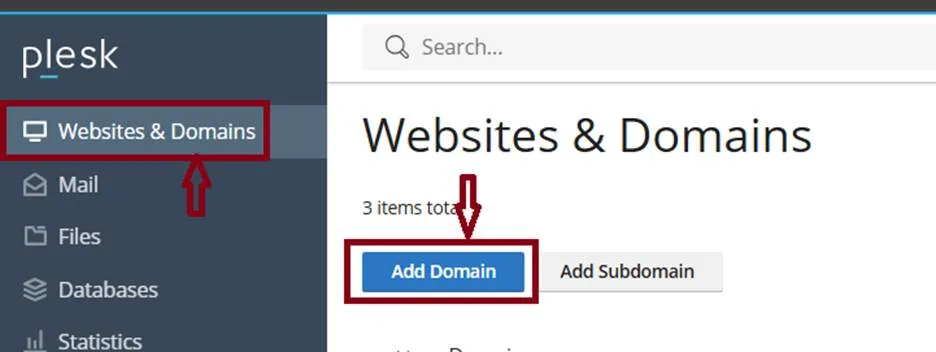
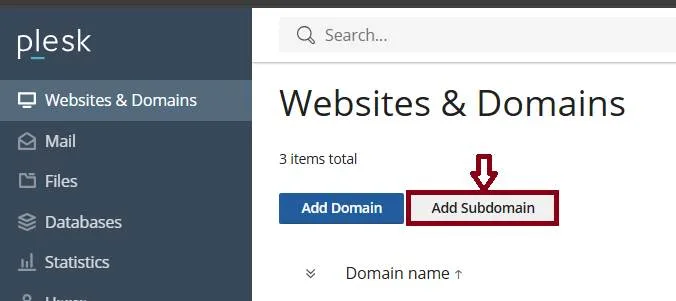
Step 2: Go to Websites & Domains.
Click Add Domain.
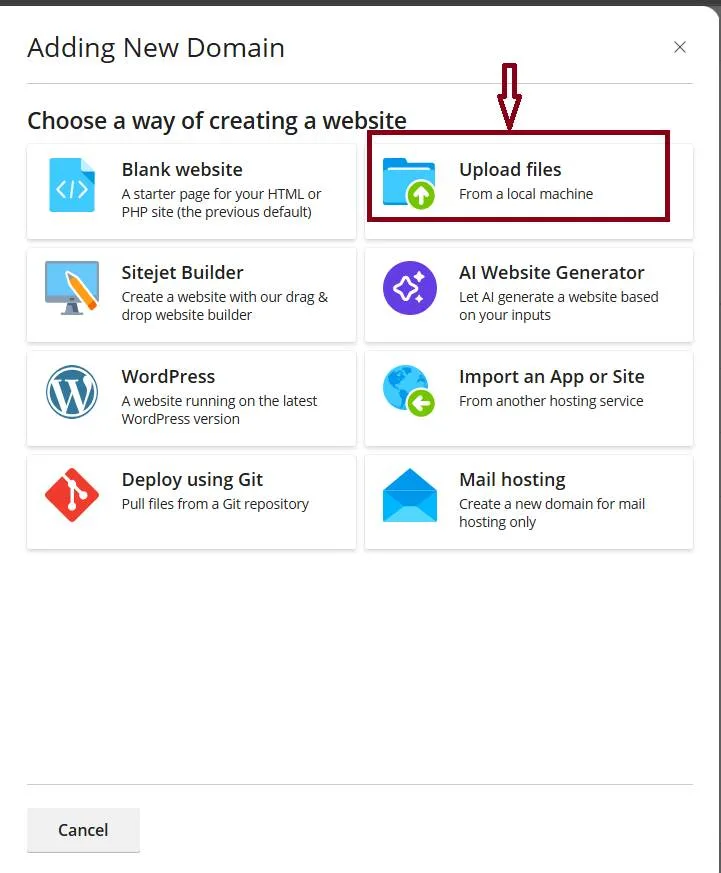
Step 3: Select/configure the required hosting options.
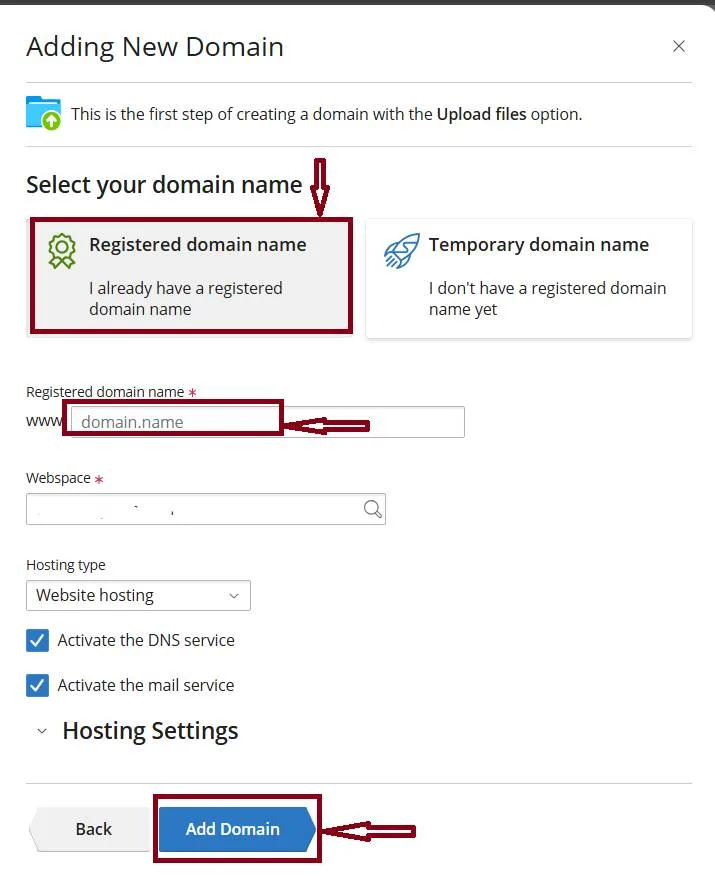
Step 4: Enter the domain name (example.com).
Then click add domain
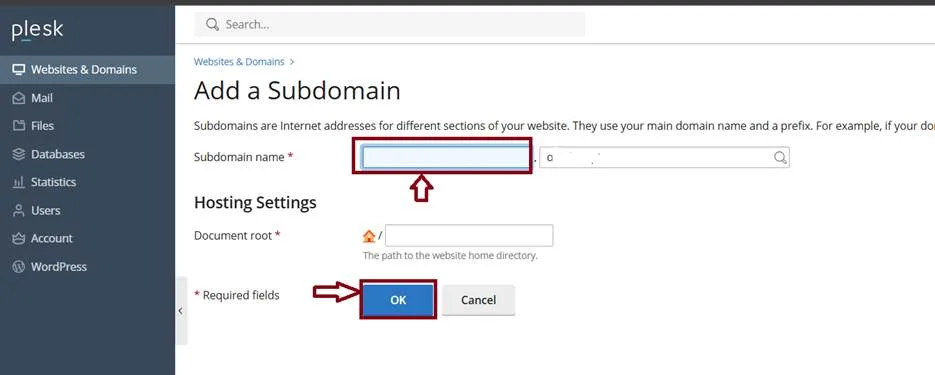
Add a Subdomain
1. Log in to Plesk.
2. Go to Websites & Domains.
3. Select the parent domain.
4. Click Add Subdomain.
5. Enter subdomain name (blog).
6. Plesk creates blog.example.com.
7. Click Add OK.
8. Verify the subdomain appears under the parent domain.