
How_to_Download_Database_Backup_from_Plesk
This article explains how to export and download a database backup (dump file) from Plesk.
Applies To
Plesk Obsidian
Plesk Database Management
MySQL/MariaDB Databases
Symptoms
Need to download a database backup.
Need to migrate a website or application.
Need a local copy of the database for recovery or analysis.
Cause
A database dump may be required for backup, migration, troubleshooting, or restoration purposes.
Resolution
1. Log in to the Plesk dashboard.
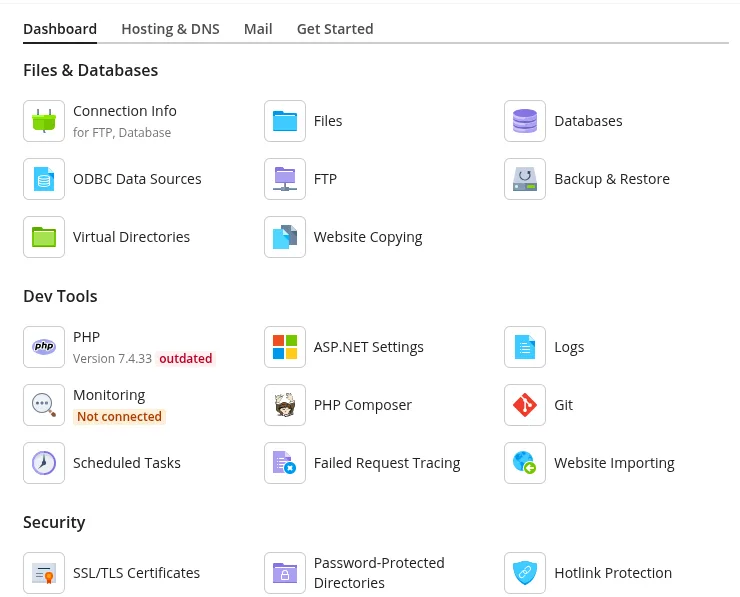
2. Navigate to Databases.
3. Locate and search for the database .
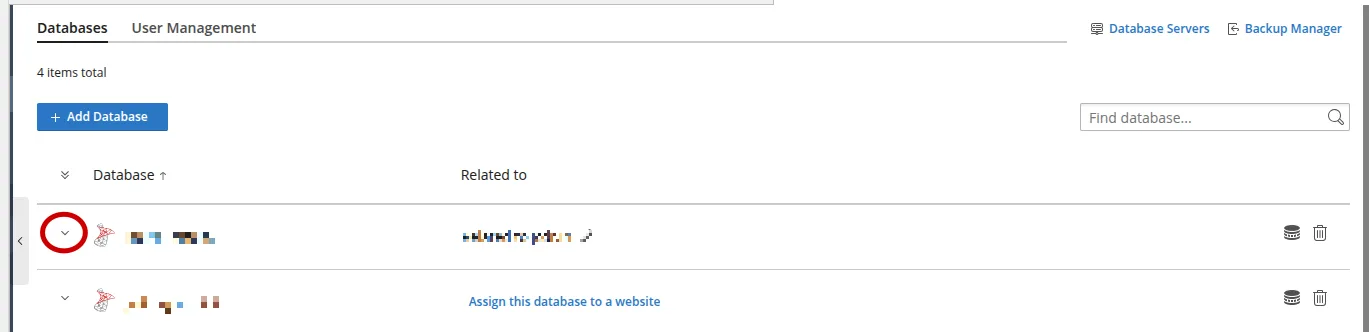
4. Click the dropdown button next to the database.
5. Select Export Dump.

6. Wait for Plesk to generate the dump file.
7. The database dump file will be downloaded to your local system.
Verification
Verify that the dump file has been downloaded successfully and is accessible on your local system. Confirm the file size is greater than 0 KB.
Troubleshooting
Ensure the database exists in Plesk. Verify sufficient permissions to access and export the database. If the download does not start, check browser pop-up/download settings and available disk space.
- backup
- dump