
How to add email signature in ENTP
This KB explains how to create an email signature in ENTP. It provides step-by-step instructions to add personalized details that will automatically appear in outgoing emails.
By Rosh AricalUpdated Nov 22, 2026
Step 1: Log in to your ENTP account using your credentials.
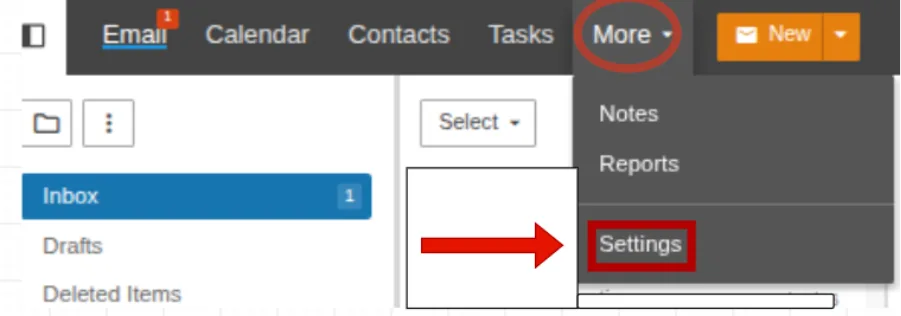
Step 2: Click on More and select Settings.
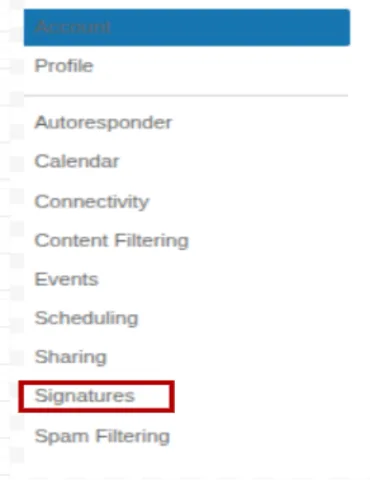
Step 3: In the Settings menu, click on Signatures.
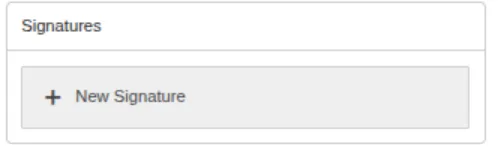
Step 4: Click on New Signature to create a new signature.
Step 5: Enter the details you would like to include in your email signature.
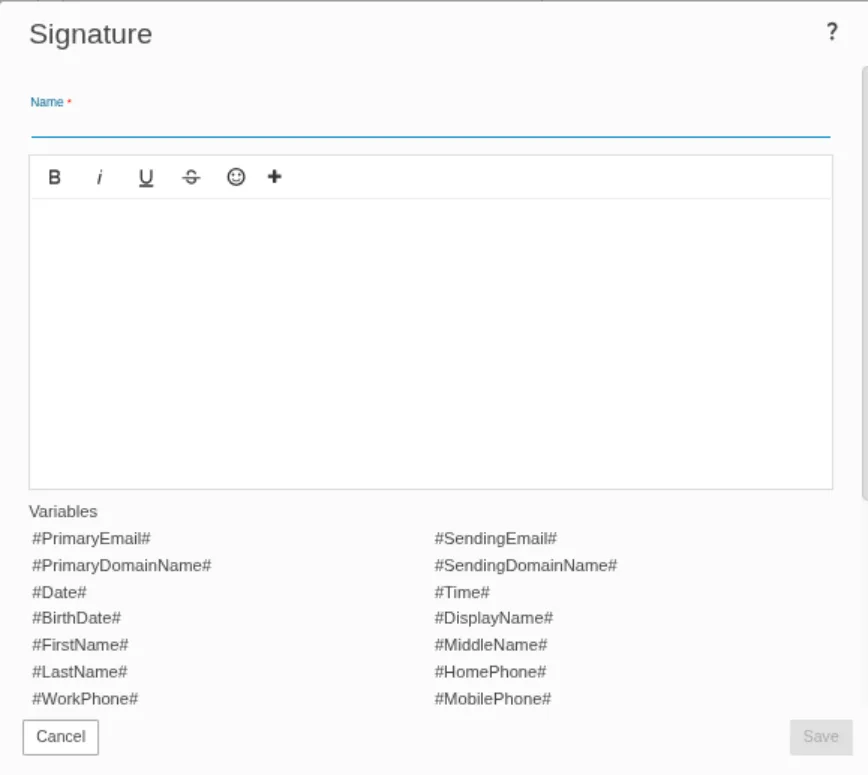
Step 6: Click Save to save the changes.

- signature
- email signature
- Add Email Signature
- Create Email Signature
- Signature Setup