
How to Get DKIM Record in ENTP Mail
How to Retrieve DKIM Record in ENTP Mail
Applies To
ENTP Mail (Admin Console)
Enterprise Email Pro
Symptoms
Administrators may need to:
Configure DKIM for outgoing mail authentication.
Add DKIM records to DNS for domain verification.
Resolve email delivery issues related to authentication failures.
Cause (Optional)
DKIM records are required to digitally sign outgoing emails, ensuring they are not altered in transit and improving deliverability.
Resolution
Follow these steps to get the DKIM record:
Log in to your ENTP Mail account with administrator credentials.
Go to the Domain section and select the domain you want to configure.
Navigate to the Genera; section for that domain.
Locate the Email signing option.
If no record exists, click Generate DKIM Record.
Copy the DKIM TXT record provided.
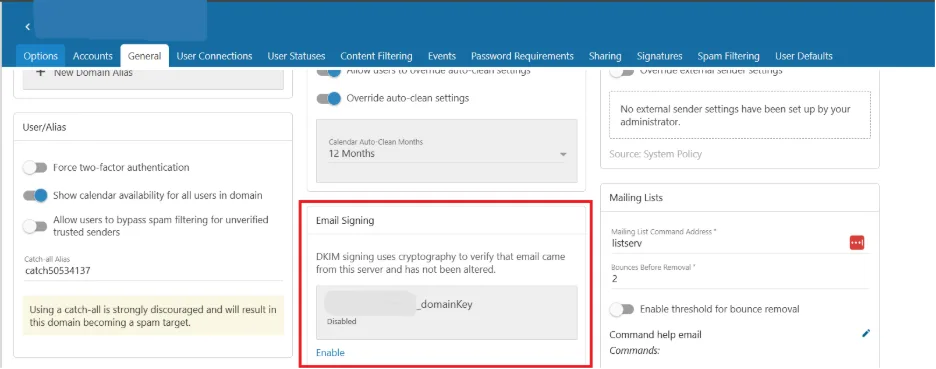
Add this record to your domain’s DNS settings via your DNS hosting provider.
Verification
Use an online DKIM checker tool to confirm the record is published correctly.
Send a test email and check the email headers to verify the DKIM signature is present and valid.
Troubleshooting
If the DKIM record does not validate:
Ensure the TXT record is added under the correct domain/subdomain.
Check for typos or missing characters in the DNS entry.
Wait for DNS propagation (can take up to 24 hours).
Contact your DNS provider or ENTP Mail administrator if issues persist.