
Change PHP Version in cPanel
This article explains how to change PHP version for a website in cPanel.
By Sahil SakpalUpdated Nov 18, 2026
Applies To
cPanel
Symptoms
Website compatibility issues
Application errors
Cause
Incorrect PHP version
Resolution
1. Login to cPanel
2. Go to MultiPHP Manager
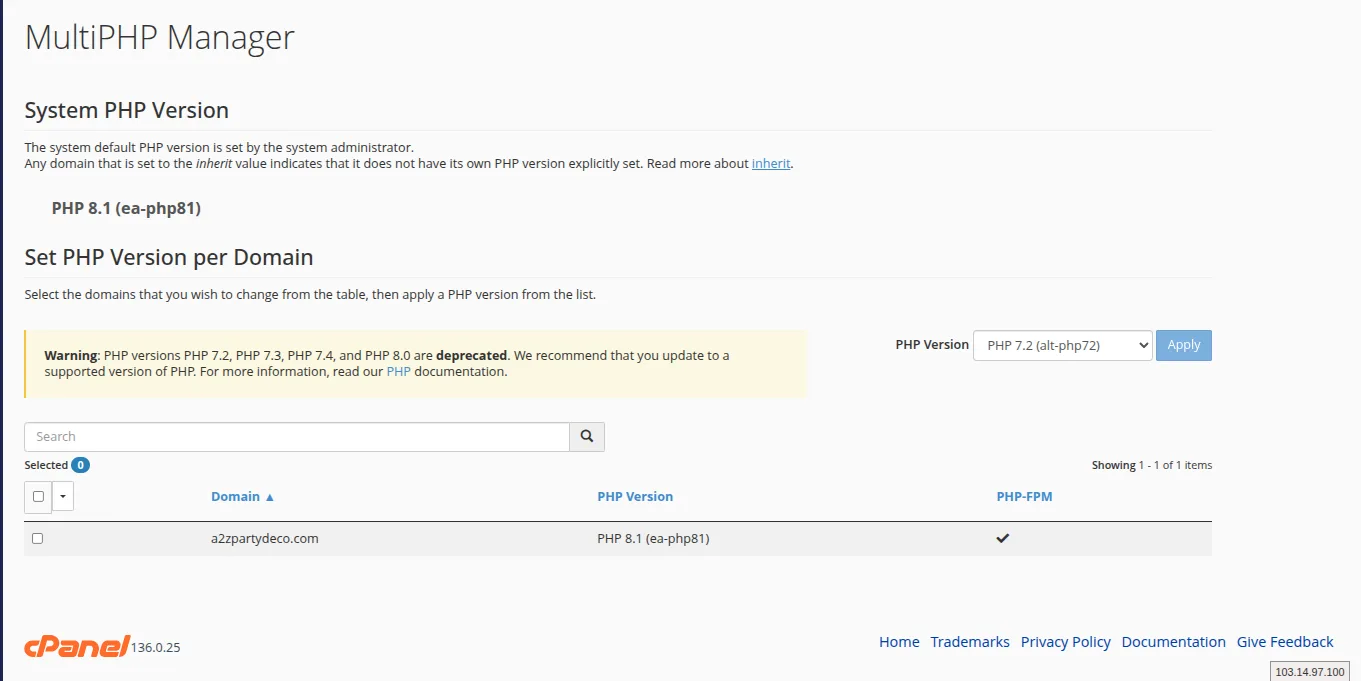
2. Click Select PHP Version from the dropdown list
3. Choose required version
4. Click “Apply”

Verification
Website loads correctly
No compatibility errors
Troubleshooting
Clear cache
Check extensions
- cPanel
- php
- change php